
High-Level Project Summary
This solution will represent the design of the app,which will make the user,to know about Solar missions and their importance,impact of Solar events on Earth and outer space, increase the interest and love on astronomy and let to give ideas for the missions and studies, in a user friendly way.
Link to Project "Demo"
Link to Final Project
Detailed Project Description
I mainly targeted teen students (school students). According to that the theme and fonts are chosen.
Theme of the app
I chose a theme with Bismark,black Russian,soft blue, astronaut blue and rum colours and the border with black colour to give a night effect.Reason for choosing this theme is to provide an experience of being in a pandora world(Avatar)to the user.
Starting view
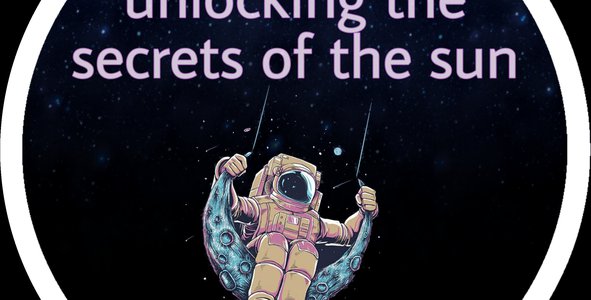
Aesthetic picture of an astronaut which is in the logo included in the starting view.
And there is a button below that .By tapping it user will enter into the app.
The heart graphic will start to work after pressing the above button.
As in the video of final project, the animation also will work in the app.
Avatar creator
User can create avatar character from his/her face using the camera option.
Two costumes are available in this section – astronaut and scientist costumes.
This avatar character will guide the user through this app, it can talk(by pressing the audio option demonstrated by the speaker icon) and instruct the user.
Summary of the main contents
The sections that the user can explore is included in this page.
By selecting each topic user can find more details in each section.
Introduction
Introduction page is written in a way to increase the interest on astronomy of viewers,
build self-confidence to choose jobs in the field of astronomy,
to find the love of astronomy in users.
Chat
User should submit their full name and g-mail address to access this option .When they press g-mail bar it will give options to sign in with Google and Facebook.Then they can share about their interest in astronomy and the needed resources and facilities from NASA to achieve their dreams and for research.The submission of ideas will be checked and read by our team members.A summary report of those ideas will be sent to the team leader.And the possible resources and facilities will be provided.Certificates for the best thought and idea will be provided.
Animation
The impacts of the events caused by Sun such as solar winds can cause a lot of harm to the Earth and outer space.
NASA wants to explore more about near light speed particles, reason for the high heat in Sun’s corona, space weather, solar eruptions,slow solar winds etc.Because the anticipation of those will help to protect from a lot damages.
This animation section will help users to watch with interest and understand about the impacts of such solar events in a summarized way.
For example: If we see space weather,the bad impacts are,
Blackout,Damaging of satellites responsible for general positioning(tracking location, navigation, timing,mapping) and weather forecasting(military activities, farming activities will be affected),problems caused for astronauts and airline Crew members by radiation(radiation sickness, Central nervous system effects, degenerative diseases),breakdown of phone and internet connection etc-These will be the contents of that animation video of space weather.
Missions
In this section, user can rotate the Sun by swiping the screen and a lot of location spots will appear with that black location icon.
If the user touch the location spot a bar with a sub section (facts/upcoming missions/completed missions) will appear.
By selecting that, tab user will enter into the particular sub section.
The boxes numbered from 1-5 show the levels.
User can unlock the levels orderly according to the number of spots he/she read/explored.
'More' button will lead the user into more missions sub section.
More about Solar missions
User can study more about heliophysics missions in this part. By choosing the particular topic he/she can know about it more.
Facts
Interesting facts about sun will appear in this section.
Upcoming missions (sub section)
There are two buttons in black colour. Information about missions tab represents the information about the upcoming Parker Solar Probe missions and the chat tab represents the chat facility for the user to give their ideas for missions.
User can select one of them and after that there are topics of upcoming missions categorized by year. By selecting the topic which he/she needs, user can enter the particular mission’s information section or chat section according to the tab chosen. (black buttons)
At bottom, the button for the tracking of Parker Solar Probe will head the user to the tracker .
Example for the information in the information tab of upcoming Parker Solar Probe missions is represented in the final project slide and Venus flyby#5.
Chat in upcoming missions section
User can study about the future missions of Parker Solar Probe clearly (research) and submit any ideas to add to the future missions.
First they should enter the full name and g-mail address .Here there will be a option to sign in with Google or Facebook.
After that they can give their ideas in the particular box mentioned in the video.
Clear and best ideas will be selected by the team and honoured with awards.
Parker Solar Probe tracker
User can track and know the current speed of the probe, distance from the Sun and the location in the map.
The countdown for the next mission will be displayed in the last box as shown in the video of slide.
Completed missions (sub section)
This section will help the user to study about past Parker Solar Probe missions.
User can select the particular year and the month which they need to study by tapping the button. It’ll help the user to know about the missions of that month of that particular year.
Example for the information in completed missions is projected in the slide(August 2021)
Performance rate
User can level up according to the usage of the app by him/her.In each level a particular reward will be provided for the user.Valuable certificate according to the level will be provided as an award.And for the user in the final level will get a coupon for gifts as a mail.
More information on design of the solution
To avoid the user skipping the categories and to show the user the explored and unexplored categories separately, I decided to use the blur option.
For ex : locking the levels 2-5 to those who are in level 1 in the missions section , blurring the missions which were already read by the user – So they can easily identify the unread contents.
As mentioned in the starting view slide, all animations and graphics which are applied to other sections also will work in the application.
Updated information for the needed section will be applied according to the changes .
I decided to show an explanation bar for all the topics and sub topics to show the meaning/summary of them. It will appear when the user hovers on the word.
For ex : when the user hovers on the missions tab it will show the sub sections in it clearly.
Other colours and fonts in the apps are chosen according to the theme and some facts.
Users will be contacted in necessary times through the g-mail address provided by them.
I hope to improve and output the app according to the feedback of users with high performance(efficient updates in needed sections)
Space Agency Data
Solar wind across our Solar System-https://solarsystem.nasa.gov/resources/2288/the-solar-wind-across-our-solar-system/
10 things to know about Parker Solar Probe-https://solarsystem.nasa.gov/news/522/10-things-to-know-about-parker-solar-probe/
Space weather-https://spaceplace.nasa.gov/spaceweather/en/
Parker Solar Probe The Mission-http://parkersolarprobe.jhuapl.edu/The-Mission/index.php#Timeline
Parker Solar Probe missions-https://blogs.nasa.gov/parkersolarprobe/2021/08/
https://www.nasa.gov/mission_pages/sunearth/missions/index.html
Solar orbiter-https://www.esa.int/Science_Exploration/Space_Science/Solar_Orbite
Parker Solar Probe tracker-http://parkersolarprobe.jhuapl.edu/
Three ways to travel at nearly the speed of light-https://www.nasa.gov/feature/goddard/2019/three-ways-to-travel-at-nearly-the-speed-of-light
Hackathon Journey
I learnt a lot of things from this journey such as app designing,presenting skills and I studied a lot of new information and explorations related to the challenge.I will participate in every year because it's very useful.
I always search for student opportunities and competitions in NASA's page.In that time only I saw this challenge and I loved it.So I thought that this is the chance to show my love on astronomy and selected it.
I first organized the needs of the challenge and categorized it into small topics. I researched more about each topic and added needed elements into it(planned in a word document)Then I designed my final project by combining all.So according to the plan it worked but faced struggles in timeline as I'm the only member.
I like to thank my mentors and team of my location,because they put a lot of work to bring the best output in us without ignoring us.They gave their best with whole heart.And also especially I like to thank my sister for checking my projects and cross checking it.
References
Used Canva app,PicsArt app.
Other resource pages except NASA space agency data-https://theplanets.org/the-sun/,https://www.esa.int/ESA_Multimedia/Images/2019/10/Missions_to_the_Sun,
https://www.esa.int/ESA_Multimedia/Images/2019/10/Missions_to_the_Sun
Tags
#knowledge #appdesigning #art #userfriendly #publicawareness
Global Judging
This project has been submitted for consideration during the Judging process.